
TS No-code Platform
Accelerated by AI, Europe's technology-leading hybrid no-code development platform, empowers even non-technical users in the creation of advanced applications and workflows at the speed of business.
DEVELOPMENT
Build Secure Web Applications
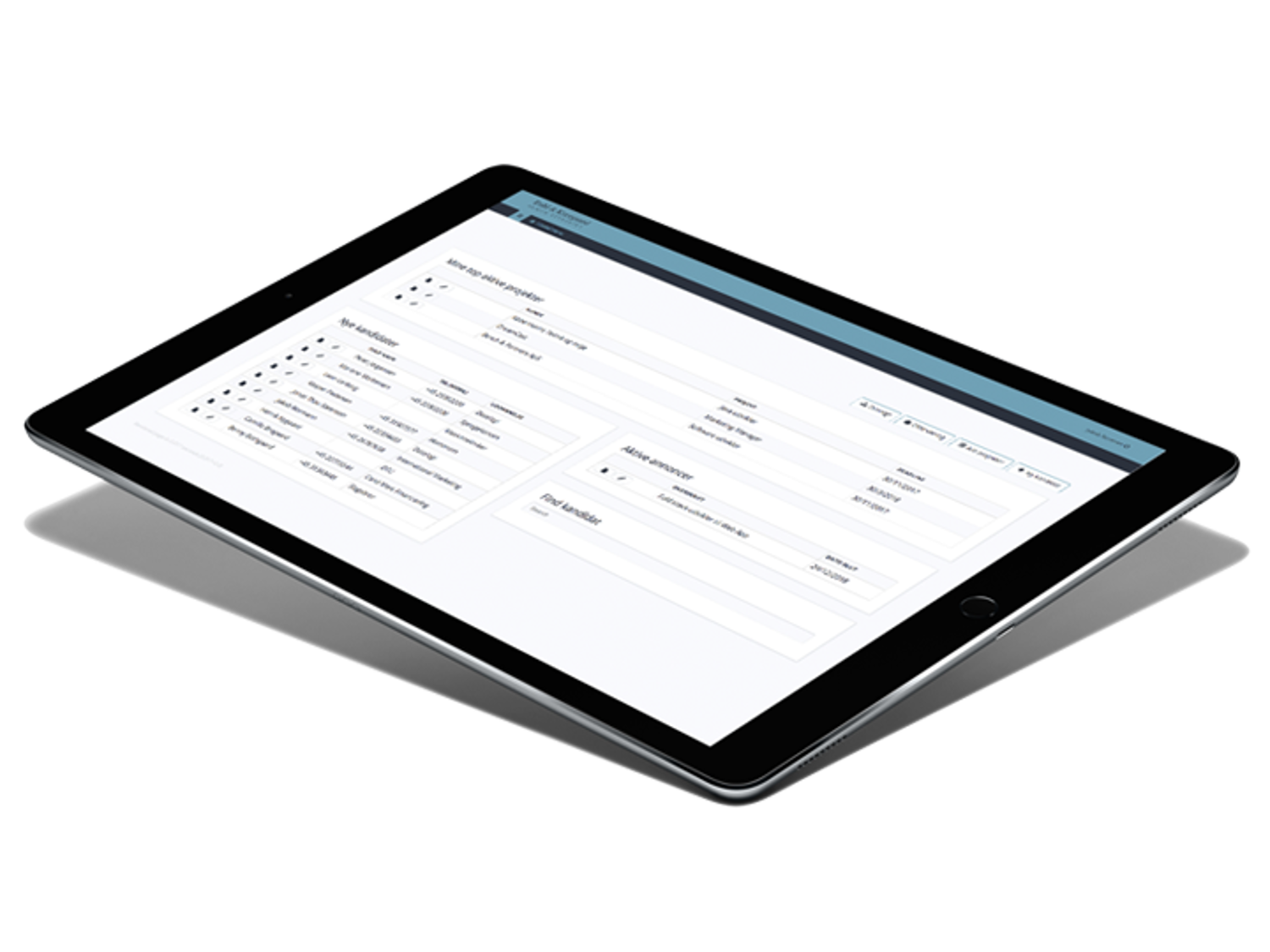
TS No-code Platform is a robust component-based development platform, that allows you to digitize and automate business processes at the speed of business. By breaking down processes and administrative procedures into logical steps and connect these to relevant data sources, even complex processes can be digitized in a matter of days or hours even.
EFFICIENCY
Intelligent Automation
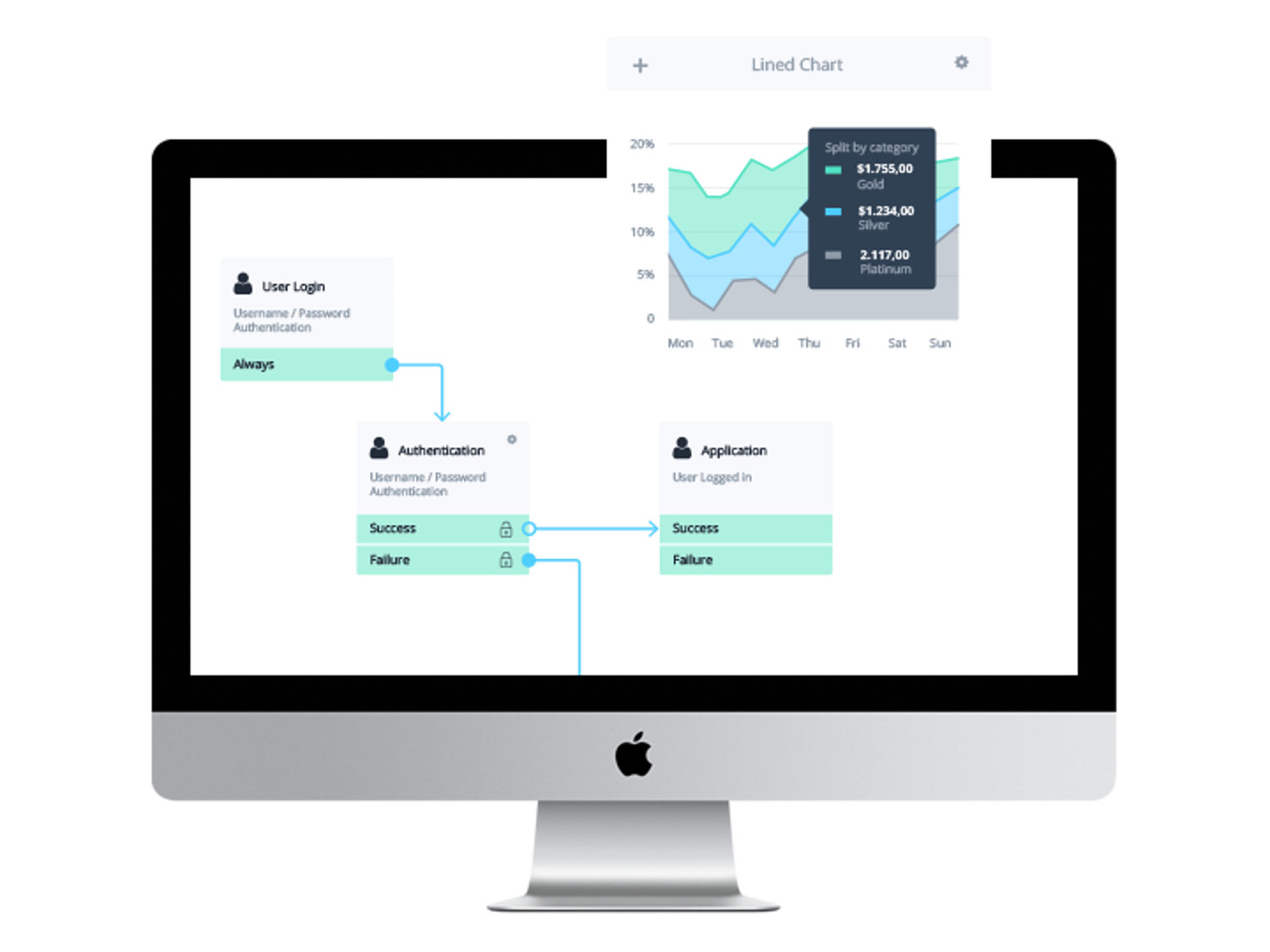
The intelligent Workflow Engine in TS No-code Platform brings advanced process automation and ML close to the business.
Smart workflows that automatically routes projects and tasks through relevant functional areas in the organization based on time, status, rights and/or other parameters are easy to setup. This enables you to avoid repetition, reduce manual processes and work more efficiently.
SECURITY
Data Integrity at Any Scale
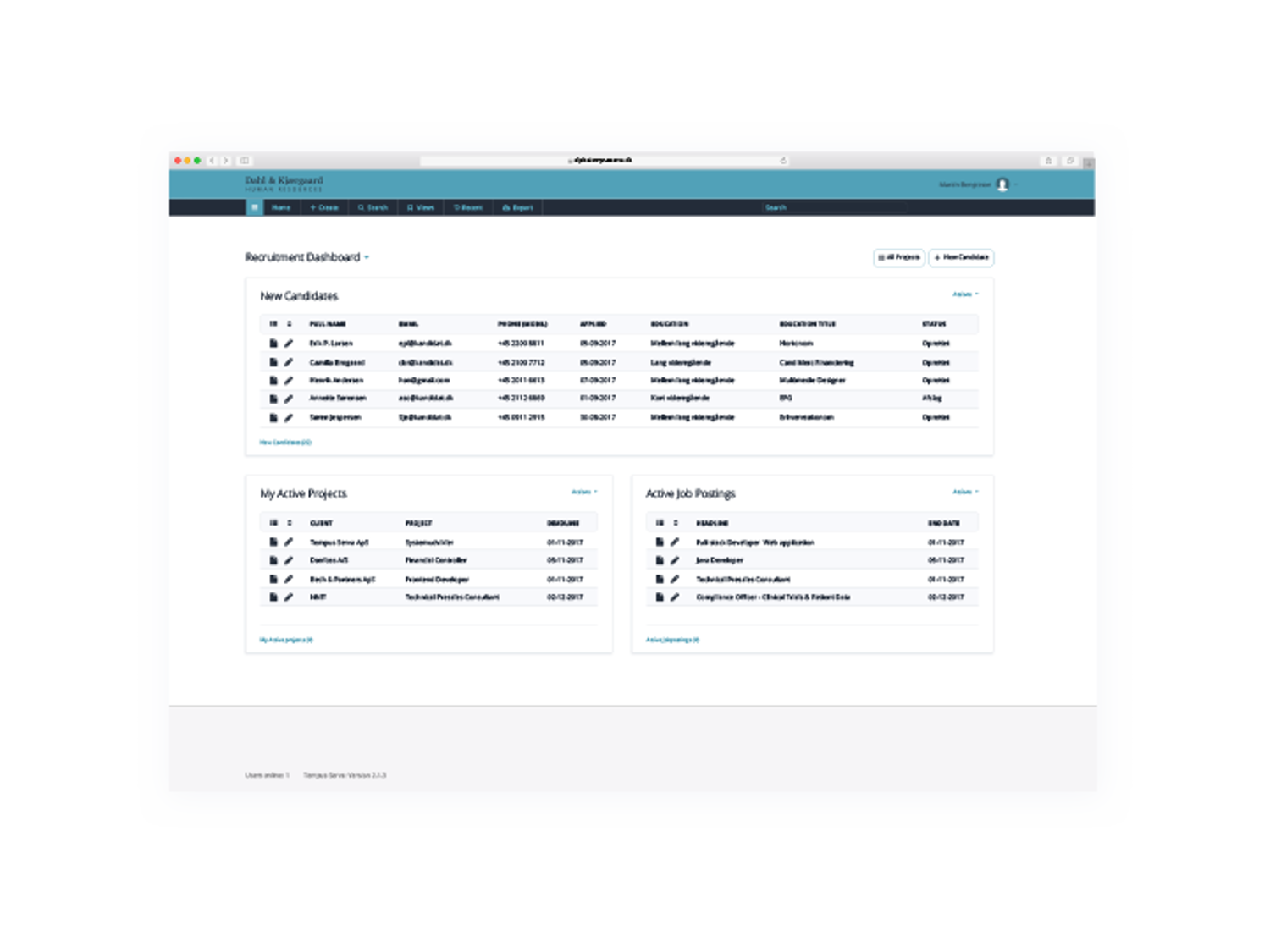
TS No-code Platform comes with a rock-solid Data Engine, that effortlessly handles input, validation, visualization, search and export of impressive data volumes. The platform scales in line with other large enterprise platforms and has built-in statistics module, file and document management.
SECURITY
Security and Integration
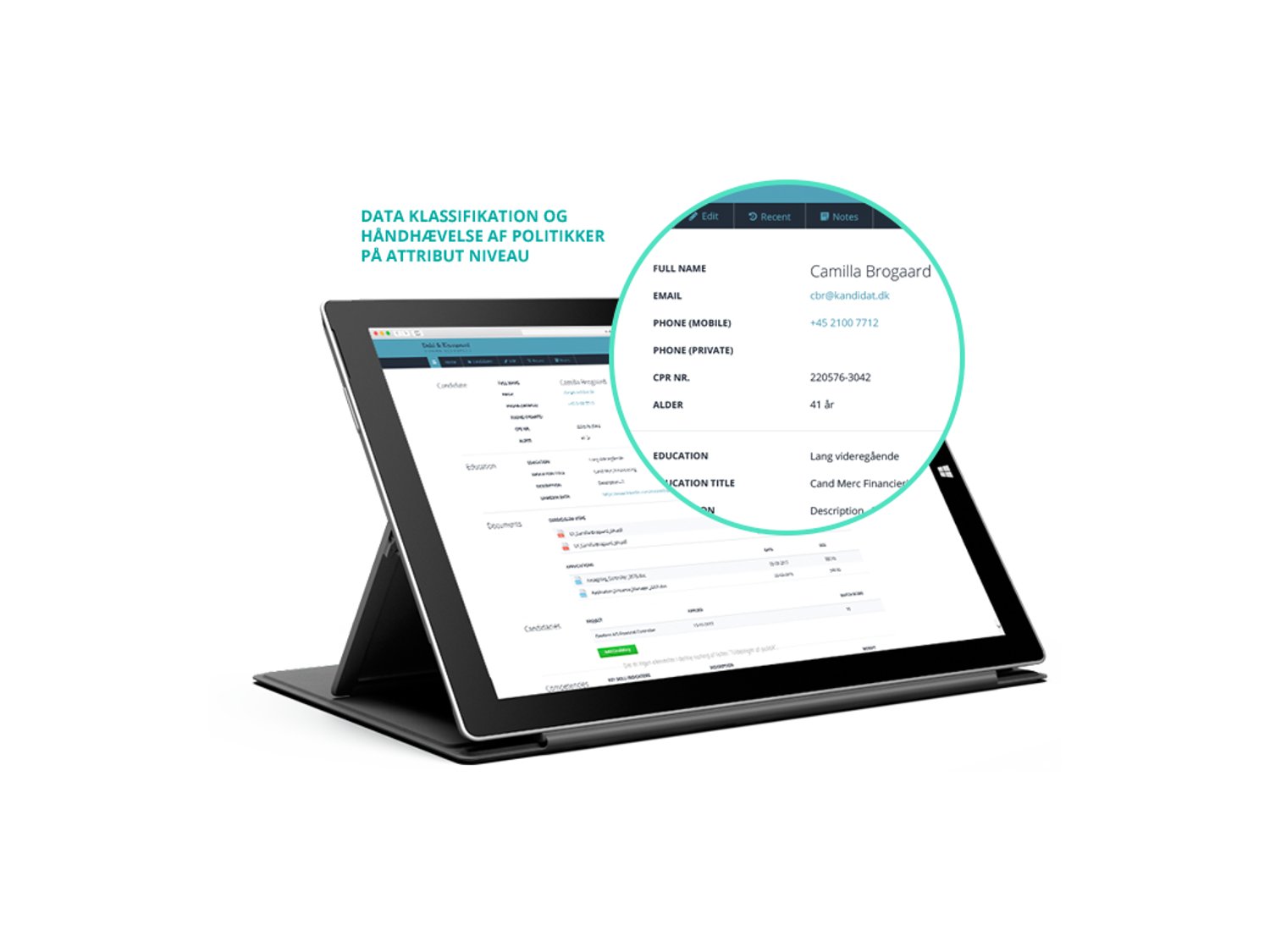
In addition to the highly elastic yet robust Data Engine, TS No-code Platform excels in data security. The Security Layer delivers fine-grained security on attribute level and/or as a function of time or data ownership. The platform has built-in multi-factor authentication, but it also integrates with MitID and other 3rd party products, handling seamless data sharing with other systems.
USABILITY
Modern User Experience
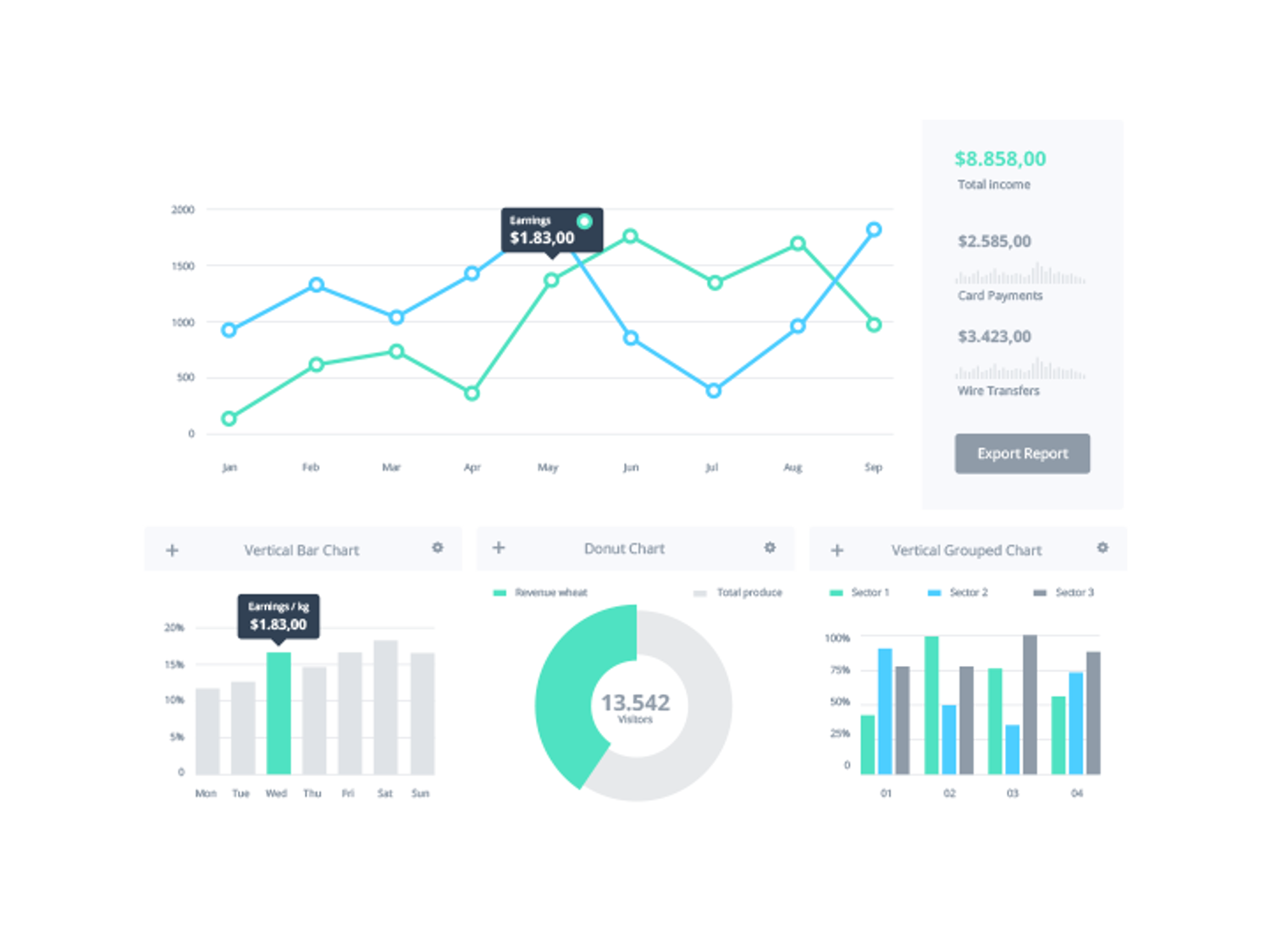
Applications built on the TS No-code Platform are fully responsive and deliver an intuitive user experience on any device. Deeply integrated business logic and advanced analytic functions enable the individual user to create a nuanced overview, perform analisys, and follow performance across data sources and processes.
Achieve More with Popular Integrations
Connect everyone and everything with seamless integrations



Key Features
Features that will make your apps pop on every screen.
The platform supports any number of languages, including industry- and country-specific variants. In practice, this means that all UI elements, menu items and system texts can be served in; Danish, English, French, Japanese, Swedish, German, etc. This allows you to use the terminology that is culturally appropriate in your business.
Language choices can be defined per user, role or device, so that everyone encounters a user interface that feels local and intuitive.
Why is it valuable?
Multi-language elevates the application from a local tool to a scalable solution that can be used globally. This means:
- Faster rollout in new markets. You don't have to maintain multiple application versions.
- Better user adoption when employees can work in their own language, error rates and the time associated with onboarding decrease.
- More consistent processes. Same workflow, same data model, same business rules. Just in different language layers.
- Reduced development and support costs. Everything is maintained in one place. Everything is updated in one place.
You can achieve higher customer satisfaction because front-end solutions such as case portals, online forms or customer-facing flows can reflect local needs. In addition, you will experience that data quality improves, as the risk of misunderstandings and manual errors is minimized.
Finally, Multi-language makes it possible to think globally and operate locally, without additional complexity for developers, citizen developers or business teams, respectively.
In practice, this means that each status in an application can be assigned a status level (a numeric level) that acts as a category. Fields in an Entity can then be set to be dependent on one or more of these levels. If a record changes status, the view is automatically updated: Fields that are not relevant to the new status level are hidden and made inactive.
Think of an HR System for example
An employee can be under recruitment, between projects, or active on a project. Each state requires different information; application and CV, latest project, end date of the project, working hours, etc. With Status Level Dependencies, fields can be linked precisely to these levels, so that the user only has to deal with information that makes sense in the current context.
Enkel administration:
- Status level is edited on the individual status types in the back-end
- Dependencies are configured on the entity under advanced settings
- For each field, you can define which levels it should be active for
How does it work?
When a new record is created, the system checks the fields marked as unique keys. If an existing record already has the same value in the selected field(s), the system will block the creation and inform the user that this record already exists.
Example: When registering a new employee, the system checks whether the email already exists. If the email exists, the system knows that the employee is already registered and will therefore not allow a duplicate to be created. If no single field is unique, a combination of fields (such as name and hire date) can act as a composite key, reducing the likelihood of duplicates.
Why is it smart?
Yes, it may sound obvious to prevent duplicates, but it is actually a widespread problem - even in modern software - and one of the most common data quality problems. It occurs especially when multiple users or systems create data, when data is imported from external sources, or when different systems are integrated.
With Duplicate Prevention, you can eliminate duplicates, minimize revisions, improve data quality, and achieve better, more accurate reporting.
By writing a query in plain, natural language: “Show sales figures for last quarter by product category”, DataWeaver automatically generates an SQL query, runs it against real-time data, and returns the report in a user-friendly graph or table.
In other words - DataWeaver puts data analysis and BI skills in the hands of the average business user, without the AI ever having access to your data. It also ensures that errors or “hallucinations” from the AI do not turn into incorrect reports.
With one click, the result can be displayed in a dashboard and thus becomes part of the existing reporting flow.
Why is it smart?
- SQL skills not necessary: Non-technical users can generate advanced reports themselves, democratizing data insights.
- Fast & efficient: The report is delivered in seconds instead of requiring manual coding of queries. This saves both time and resources.
- Security & compliance: The AI does not access your actual data, only metadata. This means that data is not exposed to external AI models, and you therefore do not run a risk in terms of data protection and compliance.
- Fewer errors: Automatically generated SQL reduces the likelihood of syntax errors or logical errors. Especially with complex queries.
- Ease of use for business teams: Data analysis becomes part of the toolbox for operations, sales and marketing teams and not just for data analysts.
The typical use cases:
- Management reporting & KPI tracking: For example, revenue, margins, customer segments, campaign results, etc.
- Marketing & sales analysis: Analysis of campaign performance, customer behavior, churn, sales by product category/region, etc.
- Finance & economics: Budget vs. realized, liquidity, cost analysis, financial comparisons, etc.
- Inventory & production insight: Inventory status, production efficiency, supplier performance, supply chain overview.
When a user logs in to a new device or app, the platform requires more than a username and password. The user must confirm their identity via an additional factor. Typically a code from an authenticator app such as; Authy, Google Authenticator, Microsoft Authenticator or similar. The code is dynamically generated, is valid for 30 seconds and can only be accessed from the user's own device.
The platform is based on well-known principles to confirm your identity:
- Something you know: Password or PIN
- Something you have: Smartphone with Authenticator app
- Something you are: Biometrics such as fingerprint or Face ID
It reduces the risk of credential-based attacks, ensures minimal friction for users, supports modern security standards and compliance requirements, and is suitable for everything from small teams to more complex SaaS applications, as well as enterprise environments.
TS No-code Platform gives companies the opportunity to deliver digital solutions under their own brand. White Labeling functions as a complete framework where both design, domain and user experience can be customized, so that the platform appears as a natural part of your service portfolio. With a few adjustments, the user interface can be customized so that the application is experienced as your product.
Key features:
Branded user experience: Customize logo, colors, typography and design principles, so that the entire application appears as a natural extension of your brand. This applies to both web interfaces, customer and supplier portals, internal applications and dashboards.
Domain identity: Run the solution on your own domain or subdomain to strengthen credibility and create an uninterrupted digital user journey.
Login and landing: Establish unique login pages, user and onboarding flows so that all new users meet your brand from the first click.
Emails and notifications: Send automated emails, notifications and status updates in your own design and tone-of-voice. This ensures a consistent experience throughout the customer lifecycle.
Modular setup: Choose which features, modules and views should be available to your users. You decide whether the solution should appear as a finished product or a specially developed application for a specific industry or process.
Scalable multi-tenant models: The platform makes it possible to manage multiple customers, departments or partners under the same setup. Each with its own brand, its own colors and its own user flows. Perfect for consultancies, SaaS providers and service partners.
Security and compliance in your own name: The platform delivers security and compliance while you stand out as the facilitator. This means you can scale quickly with uncompromising governance.
The result is precise analyses, faster decisions and fewer manual calculations. For example, you can start broadly with a comprehensive view of customer cases, open a layer to see specific process data, open another layer for document status and combine it all into one logical query.
This makes a particular difference in organizations with fragmented data bases or silos, where the value only comes to the surface when information is connected across. Multilevel Data Queries provides exactly that flexibility: One query, multiple layers - full insight.
For whom is the benefit greatest?
Teams and consultants working with compliance, case management, production, process and service optimization or customer data who want a more dynamic and data-driven way of working. They will experience less need for manual data cleansing, fewer silos and a significantly faster path to the insights that create value.
How deep of insight do you want today?
The feature makes it significantly easier to get existing documents into a structured dataset – quickly, accurately and at scale. Document to Data helps you extract specific information you define from one or more documents, and then create a structured record per document. Whether it’s 100 or 5,000 files, the process is done automatically and with minimal involvement.
The process is simple. A Citizen Developer determines the relevant fields and formulates the prompts that the AI will use to identify the various information in the documents. For example; the parties, start and end dates, deadlines, renegotiation period, etc. for a contract, or the policyholder, premium, coverage, etc. for an insurance policy.
In this context, the function allows you to “train” on a smaller number of records, so that you can ensure that the questions/prompts are formulated correctly, across slightly different documents, before trying on a larger scale. The user then bulk-uploads, for example, 1000 documents, which are indexed, and the application creates one record per document, attaches the original file and fills in all fields based on the defined prompts.
The result is a fast and controlled path from raw documents to usable datasets. Companies can thus convert everything from quotes and order forms to reports, contracts and policies without manual entry. Once data is structured, teams can analyze values, compare content, automate downstream processes, and make more informed decisions. Document to Data reduces the otherwise cumbersome migration and data collection task to a simple, reliable process that starts with a click.
With Document to Data, teams can quickly standardize data, remove bottlenecks, and build more intelligent processes.
This opens up new uses:
- Automated case management
- Faster customer assessments
- Better compliance documentation
- Data foundation for digital self-service solutions
Data to Document is a classic. It is a feature in TS No-code Platform that makes it easy to auto-generate documents based on predefined templates. The feature can be used for everything from reports to contracts, operational and customer-facing documents directly from structured data.
The feature connects your data with dynamic document templates, which means that you, as an integrated part of the business process, can auto-generate documents with a single click or as a result of a status change. Even complex documents can be built, versioned and automated by professionals or Citizen Developers.
The result is documents that are always consistent, compliant and up-to-date. The platform also handles variations. For example, differences in jurisdiction, customer type or products through rules and conditional sections, so you avoid manual adjustments.
For organizations, this means shorter turnaround times, fewer errors and a significant increase in quality and scalability. For employees, this means more time for consulting, analysis and value-added tasks rather than copy/paste work.
Typical uses:
- Contracts and attachments
- Reports and documentation
- Certificates and compliance documents
- Quotations and order confirmations
- Onboarding materials, employee handbooks and SOPs
- Process documentation across departments
It will often be appropriate to have administrators who are allowed to look across customers. The key is that rights and rules are always enforced - When accessing data, when exporting data, when accessing data via a web service, or when referring to it from other data. In SaaS, customers are of course never allowed to see each other.
In the platform, there are several different ways to implement data ownership:
- Exclusive Group: Belonging to an organization or organizational group
- Personal Ownership: A single user, typically the creator
- Access Control Lists: Lists of groups or named users
“The logistics department can see all orders in the status Ready for shipping and with Shipping date Today’s date.”
“The repair team has access to edit machines with one or more error records within the “last 3 days.”
Data Ownership addresses one of the biggest problems in modern SaaS: Data spread across many systems that do not talk to each other. With the use of TS No-code Platform, data and systems can be consolidated under one “roof” and the many different use cases can be controlled with data ownership and access rights.
By connecting your system with MitID, you can verify users with high security and automate processes that require strong authentication. From document approvals and case creation to access management and onboarding. Everything happens via the platform's back-end tools, which significantly reduces implementation time and makes it easy to scale across the business.
The integration is developed for organizations that handle sensitive personal data or have strict compliance requirements, e.g. legal, insurance, finance, healthcare or similar processes in private companies.
For consultants and Citizen Developers, this means that complex identity flows can be built, tested and implemented quickly. Without the risk of compromising security or regulatory requirements.
Key benefits:
- Strong authentication with MitID directly in user flows
- Simple setup (policy setting, Crypto and DNS change)
- Supports both private and business users
- Simplifies compliance and audit trails
- Rapid implementation in existing apps and processes
External Input Source makes it easy to integrate with external databases and automatically retrieve data at a defined frequency, without manual handling or special development. Based on specific criteria, the platform controls which data to pull, so that you always work with relevant and up-to-date information.
What the feature does:
- Connects to external databases (ERP, business systems, etc.)
- Defines exactly which data fields and records to retrieve
- Sets the frequency of data pull (every 5 minutes, daily or user-initiated)
- Uses loaded data to create or update records
Typical use cases:
- Underwriting that automatically pulls the latest risk data
- Compliance or audit flows that always show updated master data
- Order and case management with real-time display of customer status
- Integration into legacy systems where data is scattered
External Input Source makes it easy to build applications that work directly with external data, but with a unified and consistent user experience. It reduces integration time, increases data quality and provides a leaner process from data to action.
What can it do for you?
Automatic email retrieval: The platform connects to an email account (IMAP/POP3), regularly checks for new messages, and retrieves them as “raw mail” objects.
Parceling and parsing: Meta data from the email (from, to, subject, date, time of receipt) as well as body, HTML/text, attachments and any supported attachment formats can be automatically extracted. Mapping to data model: The user can configure how email fields are mapped to the data model. For example: “Subject” to “Case name”, “Attached PDF” “Documents”, “Recipient” to “Responsible”, etc.
Filtering and routing: Possibility to define rules based on e.g. sender
Configuration & User Experience:
Add account: Relevant information is registered mail server, port, protocol (IMAP/POP3/Exchange), username, password/tokens, security (TLS/SSL) and the connection is tested before activation.
Import rules: At what interval should the service run (e.g. every 5 minutes).
Field mapping: Point-select to link relevant email fields to fields in your application (e.g. “customer”, “case type”, “priority”, etc.).
Routing / Workflow setup: Select which workflow or pipeline to activate upon import and set up conditions for routing (e.g. depending on department or subject).
Typical use cases:
Companies that receive customer inquiries, cases, etc. via email and want to integrate them directly into the case management or CRM system without manual steps.
Automatic invoice import from emails with PDF invoices attached is automatically retrieved, parsed and saved or exported to the finance module.
Support or helpdesk, which receives new requests via email, which are automatically created as support cases with routing to specific teams or supporters based on rules.
Compliance departments, receiving emails and attachments, which are archived in a structured manner with relevant metadata for traceability and auditing.
Benefits and gains:
- Save time and avoid manual errors
- Real-time or frequent sync ensures fast processing
- Emails become structured data, ready for analysis, workflows, etc.
- Transparency and traceability
- Scalability. Configuration that covers emails, depending on rules.
- Requires correct configuration (mail server, security)
- Filtering rules must be set up carefully so as not to overlook/lose emails
- For confidential information, access and security procedures must be in place
- For very large volumes of emails, batch import may be necessary
SSO supports both token-based access for apps and integration with Windows Active Directory (AD) for network users. Both methods ensure that identity is validated centrally and securely, while the daily user experience is simple and straightforward. TS No-code Platform supports common providers and protocols including: ADFS, Azure, Google, LinkedIn, Wordpress, etc.
Key Benefits of SSO
Improved User Experience: Users do not need to remember or manage multiple usernames and passwords. If they are already logged in to a system with the same SSO provider, they are automatically logged in. At the same time, it reduces the risk of accessing third-party solutions, as passwords are not stored or managed externally.
Simplified administration: IT administrators can manage a single authentication system for the entire organization, making it easier to control access. It also typically reduces help desk costs due to fewer password calls.
Better administrative control: All network information is stored in a single archive. This means that there is only one authoritative list of each user's rights and privileges. This allows the administrator to change a user's privileges and the result will be reflected across the network.
Instead of having to access a link, remember your login and log in every time you want to use your company's system, TS Gateway allows you to log in with biometrics or pin, easily and quickly.
Functionality & user experience
Simplified login: TS Gateway stores login information securely on the device, so the user does not have to log in every time they access your system. This makes the user experience more fluid and efficient.
Enterprise-friendly security: TS Gateway is designed with Enterprise Mobility Management (EMM) in mind. This means you can get your own custom version, which you can distribute via EMM and in this way easily and effectively secure which systems your employees have access to.
Why use TS Gateway?
User experience: Easy mobile access to the internal system, less complexity, fewer passwords and fewer apps to keep track of.
For the organization: Increased security, central control of access, easy distribution of new or updated apps without requiring installation via public app stores.
Typical use
TS Gateway provides value in organizations that use customized business applications and workflows built on the platform, and need security, access control and management of mobile applications. Not least for those who want to make it easy for employees to access the system. Get rid of the hassle of complex login management.
When developing business applications from scratch, responsive design usually requires significant effort. Developers must define separate layout rules, breakpoints, and styles for different screen sizes, and often build, test, and maintain multiple variations of the same user interface. This means higher complexity, longer development time, and the risk of inconsistency when the application is delivered across desktop, laptop, tablet, and mobile. Therefore, ensuring a consistent experience is often both expensive and time-consuming.
Responsive Applications in the TS No-code Platform eliminates that challenge. You design one application, and the platform automatically handles the adaptation of layout, navigation, and interaction regardless of the device. The result is faster project turnaround times, fewer errors, and applications that work optimally wherever they are used.
For companies, this means faster deployment, fewer versions to maintain, and a more consistent user experience across the organization. Consultants can focus on process and logic, while the platform handles the technical complexity of the user interface.
The result is more agile projects and applications that support employees wherever they are – on the go, in the field, or behind their desks.
Key Benefits:
- Automatically responsive design without additional development work
- Consistent user experience across devices
- Faster time-to-value and reduced maintenance
- Ideal for mobile workflows, self-service solutions, and field tasks
- Supports scaling across teams and locations
Questionnaire Mode makes it easy for organizations to collect structured data from both external and internal users, without development and without complex setup.
Two ways to collect data
The platform offers two approaches, depending on whether data needs to be collected from many anonymous users or from fewer specific people:
1) Public questionnaires
A generated link provides open access to a questionnaire that creates a new record. Perfect for forms, registrations, user surveys and other open processes where respondent identification is not necessary or where anonymity is required.
2) Returning questionnaires
When you need to collect data for an existing record, you can send a questionnaire directly to a specific user. The link contains a security token, so the user only has access to the exact fields you have designated. Often, the link is sent via a status action to an email that is already registered on the record in question.
Interface-based access control
Access is controlled by attaching interfaces to your entities. Here you choose which fields the user is allowed to see or fill in. The result is complete data control without technical barriers. Ideal for collaboration with customers, partners, citizens, or internal teams.
Customer satisfaction measurement directly in your workflow
Questionnaire Mode supports measuring customer satisfaction via NPS (Net Promoter Score). With a simple question: "How likely are you to recommend us to others?" you can collect an indicator of loyalty and perceived value in real time directly in your existing workflow.
The user answers on a scale from 0–10, which is automatically categorized into:
- Promoters (9–10)
- Passives (7–8)
- Detractors (0–6)
The advantage is that satisfaction measurement does not require separate tools, exports or external analyses. Results can be visualized, included in reports and/or used as triggers in workflows, so that the organization can respond proactively and document improvements over time.
Key features:
Automatic version control: Each update to data or documents is saved as a separate version, so you can always restore or compare previous versions.
Version history: View the history of a document or dataset and restore to a previous version if errors or unwanted changes have occurred.
Collaboration: Multiple users can work on the same document or data. The platform automatically handles version control, so conflicts can be avoided.
Audit & compliance: Full traceability of who, what and when has been changed - perfect for legal requirements, internal guidelines or quality control.
Integration with workflows: Version control integrates naturally with existing processes in the platform, so automations and reporting always work with the correct version.
Benefits:
- Reduces the risk of data loss and errors.
- Minimizes the risk of someone in your team working with “old” data.
- Ensures compliance and audit-ready documentation.
- Provides full transparency in change history.
WebDAV support is ideal for solutions with contracts, attachments, case files, report sets or versioned documents. Users are free from manual uploads/downloads and developers avoid building separate file managers.
Core features:
- Access to files and folders via Windows Explorer and macOS Finder
- Rights management based on platform roles and access rules
- Automatic versioning and audit trails
- Support for structured document libraries
- Legal solutions with mapping to case folders and contract archives
- Insurance use cases, where documentation is continuously updated in real time
- Small Business portals with customer folders and accounting documents
- Manufacturing apps, where quality documents need to be accessed from production
Developers can extend the no-code platform with various features
- Change the behavior of application components
- Integrate with external web services
- Customize entitlement models
- Develop services that automate repetitive tasks
- …
Collaborate across skills: Business users can design workflows and user interfaces visually, while developers can add advanced logic or integrations via code when needed.
Scalable flexibility: Start with no-code for rapid development. Then expand with any code-based customizations and scale without having to rebuild the solution.
Full control over data integrations: The hybrid model allows applications to connect with internal systems, third-party services, and databases in a secure and structured manner.
Reduced time-to-market: Business-critical applications can be launched quickly, while complexity is handled behind the scenes by the development team.
Example of use:
A company can quickly set up a workflow for approving purchases via point-select, while developers implement advanced rules for budget control and integration to the ERP system – all in the same platform.
Hybrid No-code gives organizations speed, flexibility, and control – and bridges the gap between idea and implementation without silos.
Which integration/functionality do you want to expand with today?
Key Features:
Field-Based Access: Define exactly which users or roles should be able to view and/or edit specific fields. This creates security and flexibility without limiting workflow.
Status-Based Access: Control access to data depending on the status of the document or object (e.g. “Draft”, “Under review”, “Approved”). This makes it easy to control who can act on information at different stages.
Role Management: Integrate with existing user roles and groups so that access policies can be reused across applications.
Audit and Transparency: The system automatically logs changes and access actions, ensuring compliance and providing an overview of who has interacted with data.
No-code configuration: Setup is done visually in the platform, without the need for coding, making it accessible to both IT and business users.
Benefits:
- Reduces the risk of errors and unauthorized access
- Supports complex workflows without limiting usability
- Provides full control and transparency across processes and roles
- Streamlines compliance and internal control requirements
Data to Calendar is a feature that makes it easy to convert structured data into calendar events without manual calculations.
The function collects selected information on a record (e.g. case folders, projects, tasks, or meeting bookings) and transforms it into calendar entries, which are automatically synchronized to your Outlook, Mac Calendar, or Google Calendar by subscribing to the relevant iCal resource.
What can you do with Data to Calendar?
- Create calendar events from dates, status changes, or actions in a workflow
- Generate personal or shared calendars based on roles or ownership
- Display calendar data directly in dashboard widgets
- No-code mapping of data fields to calendar fields (date, duration, responsible)
- Real-time update. If data changes, the calendar is automatically updated
- Supports color coding and categorization based on rules
- Option for filtering and viewing by user, process or project
- Planning service appointments and installation tasks
- Delivery calendar for case and production flow
- Management and visualization of campaign and sales activities
- Annual calendar for compliance tasks
What do you want to plot on your team's calendar today?
1) Encryption: Data is encrypted both in transit and at rest
- Transport encryption via TLS (HTTPS)
- Storage encryption with LUKS AES-256 for databases and files
- BCrypt password hashes secure against brute force of leaked databases
2) Authentication & Identity Management
Multi-Factor Authentication (MFA) is built in to protect user access and reduce the risk of compromised accounts. The platform uses well-known principles to verify your identity and supports Google, Microsoft, SMS and automatic IP whitelisting. MFA significantly increases security, and is especially relevant for administrative accounts and applications with sensitive data.
3) Policy-based Access Control
Define access rules based on several different parameters:
- Role (Role-based Access Control)
- Network or location
- Status and ownership of data
- Time or method of authentication
4) Fine-grained access control
In addition to role-based control, you can assign/restrict access to specific fields or documents:
- Field Level Access Control
- Status Access Control
- Data Ownership
5) Logging & versioning
The platform supports logging of access, actions, changes to data and files throughout their lifecycle and automatic version history. Log data can be exported for documentation, auditing and compliance purposes. Versioning makes it possible to track and roll back changes. The version log applies to both frontend (data) and backend (applications).
6) Data classification and anonymization
Enable classification of data relative to its sensitivity and anonymization to protect identifiable data. Via the workflow model for the individual types of data, time-controlled deletion policies are set up that either delete or anonymize data at the attribute level.
7) Security standards
The platform helps you build applications that comply with security principles in accordance with OWASP. The different OWASP levels help protect against common web app threats such as; XSS, injection, CSRF (Cross-Site Request Forgery), DDOS, etc. when the platform is used correctly.
All these features and policies can be configured and set based on your current needs and compliance requirements.
Imagine being able to describe your idea and let the platform build the foundation for you. That’s exactly what the new AI-based feature in the TS No-code Platform makes possible.
Now you can generate a complete XSD (XML Schema Definition) just by writing a prompt. An XSD acts as a structural blueprint that describes elements, data types and relationships in an XML document. It provides a precise and validatable definition of your data model, which is why it is ideal as a starting point for automatic model generation.
The platform uses AI to create the XSD itself, while everything behind it; code, data structure and security is handled by the platform.
Example: Let’s say you write: “Can you create a CRM system with customers, contacts, opportunities, etc. and describe the relationships between them?”
A moment later, a fully defined data model is ready. Now just click “Build and review system”, after which the platform automatically generates the various entities, attributes and relationships for you. That's smart!
It's smart because you never end up in an “AI code experiment”. The XSD itself is generated by ChatGPT, but the rest of the process is handled by the platform, ensuring thoroughly tested code, normalized data model and enterprise-level security.
In this way, app development goes even faster, without you having to compromise on either quality or governance.
What would you like to build today?